Defend the City
Creator: Jason Khong
Instructions
- You are to defend the city from air raiding planes using Surface-to-Air Missiles.
- You have control over 4 SAMs.
- To select a SAM, you may click on it (when the mouse pointer changes to a crosshair) or press 1/2/3/4 of the corresponding SAM. The selected SAM will be marked.
- To engage a target, click on the target when the mouse pointer changes to a crosshair.
- When the enemy gets to near to the city, a warning alarm will be sounded.
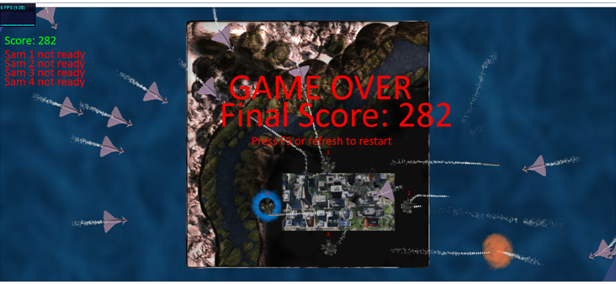
- If the enemy enters the city, the game ends.
- The game may be paused by pressing 'P'.
- At game over, the game may be restarted by pressing 'R'.
- There are 3 camera modes. Look under Camera section.
Camera
- There are three cameras, top-view, target tracking and view behind SAM.
- Top-view (default) provides a bird's eye view.
- Target tracking is enabled by pressing 'T'.
- to change to next alive enemy, press 'Y'
- to return to previous view, press 'T' again.
- NOTE: This camera mode overrides the other two.
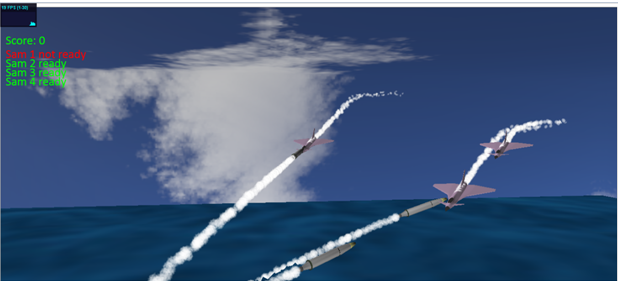
- View behind SAM is enabled by press 'C'.
- to change to another SAM, press it's corresponding number (1/2/3/4)
- to return to top-view, press 'C' again.
Screenshots
Sources
- Sound effects -www.soundbible.com
- SAM - 3D Warehouse http://sketchup.google.com/3dwarehouse/details?mid=c587f507652901392621cde3d0a1ce62&prevstart=12
- Eurofighter - Turbosquid.com http://www.turbosquid.com/FullPreview/Index.cfm/ID/618662
- Terrain texture - webgl terrain editor http://www.chromeexperiments.com/detail/webgl-terrain-editor/?f=webgl
Animation
- Helicopter (not included) - Use mouse scroll to control height. WASD to fly around.