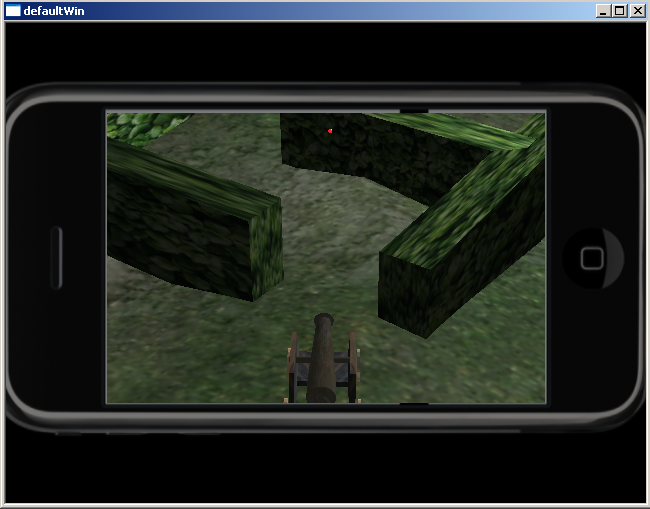
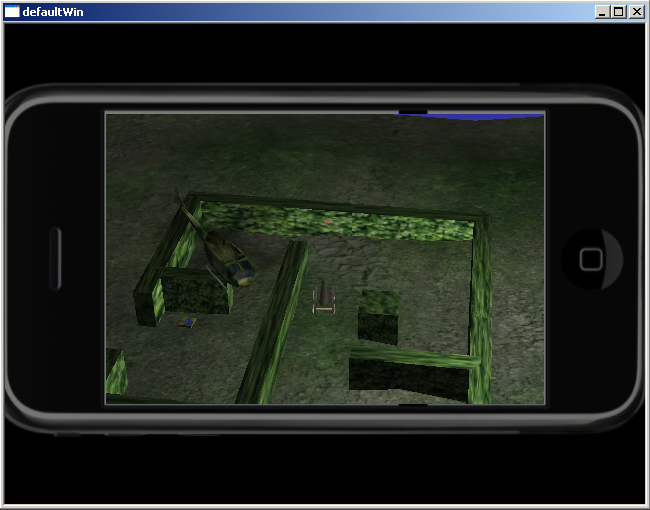
This is a simulated 3D iPhone application with a potato cannon. An iPhone "skin" is placed in front of the camera (same technique as using crosshairs) to simulate playing on an iPhone. Move around the scene (i,j,k,l) shooting potatoes (space). Watch out for the IED! See below for more keyboard commands.
A partial list of animation features incorporated:
You can download the project here. It will require some work on your
part to get it going. You need Delta3D and Python installed, and you
will need to edit the run.bat file to point to the
appropriate installation directories.
| Key | Action |
|---|---|
| i | Move cannon forward |
| k | Move cannon backward |
| j | Turn cannon left |
| l | Turn cannon right |
| y | Raise cannon barrel |
| h | Lower cannon barrel |
| space | Fire potato from cannon |
| f | Change to Fly motion model (default) |
| c | Change to Collision motion model |
| r | Change to RTS motion model |
| o | Change to Orbital motion model |
Due to an unfortunate lack of proper tools for screen video capturing, the best-looking video is this Shockwave file (71MB) which must be viewed in a web browser. You are welcome also to try out these two lower-quality video captures from another tool at a very low frame rate: iphone-cannon-1.mp4 (752KB) and iphone-cannon-2.mp4 (324KB).